Six free AI tools that help Indian students study smarter, plus how to claim Google’s free AI Plus student offer and how to use AI without cheating yourself
AI tools can now explain a tough concept, quiz you before an exam, summarise a 40-page PDF and check your essay, often in seconds and often for free. For students in India, 2026 has brought some of the best offers yet, including a full year of Google AI Plus at no cost. But with so many free AI tools for students and so many offers around, it’s hard to know which ones are worth your time. Here are the six best free AI tools for students, what each does best, and how to use them the right way.
Quick Answer
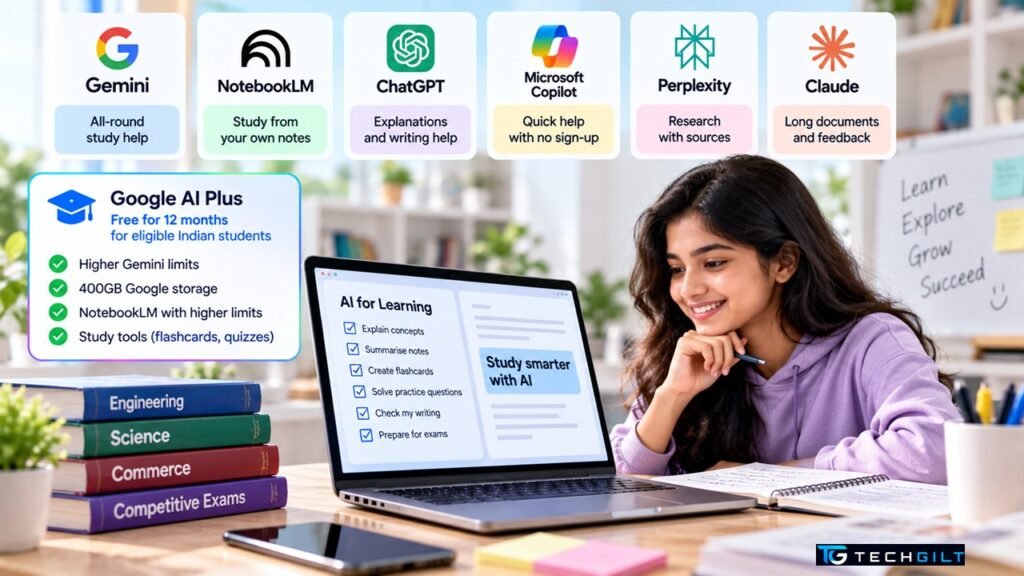
The best free AI tools for students in India right now are Google Gemini (with Google AI Plus free for 12 months for eligible college students, claimable until December 31, 2026), NotebookLM (now also called Gemini Notebook) for studying from your own notes, ChatGPT for explanations and writing help, Microsoft Copilot for free use with no account, Perplexity for research with sources, and Claude for working with long documents. All six have free plans that cover most students’ needs.
| Tool | Best for | Free plan? | Student offer |
|---|---|---|---|
| Google Gemini | All-round study help | Yes | AI Plus free for 12 months |
| NotebookLM (Gemini Notebook) | Studying from your own notes | Yes | Higher limits with AI Plus |
| ChatGPT | Explanations and writing | Yes | Check the app for current offers |
| Microsoft Copilot | Quick help, no sign-up | Yes | Copilot in Office via many colleges |
| Perplexity | Research with sources | Yes | Airtel offer ended Jan 2026 |
| Claude | Long documents and feedback | Yes | None |
You can start using all six of these free AI tools for students today, with no payment needed.
1. Google Gemini: Best All-Round Free AI Tool
Gemini is Google’s AI assistant, and among free AI tools for students in India it’s currently the strongest option thanks to Google’s student offer. According to Business Today, eligible students can get Google AI Plus free for 12 months, which includes:
- Double the Gemini usage limits of the free plan
- 400GB of storage across Google Drive, Gmail and Photos
- Higher limits in NotebookLM, plus Gemini in Gmail
- Study features such as study notebooks, flashcards and practice quizzes, available through Gemini’s Student Hub
How to claim it: go to Google One’s student offer page, sign in with your personal Google account, choose the plan and verify your student status through SheerID. You must be 18 or older, enrolled in an eligible college or university, and add a payment method. Redeem by December 31, 2026, and set a reminder: the plan can renew at the normal price after 12 months unless you cancel.
Good to know: even without the offer, Gemini’s free plan is very capable for explanations, homework help and quick research.
2. NotebookLM (Gemini Notebook): Best for Studying From Your Notes
NotebookLM is one of the most useful free AI tools for students because it works only with the material you give it: lecture notes, textbook PDFs, slides or YouTube lectures. That means its answers stay close to your syllabus instead of pulling random information from the internet.
- Ask questions about your own notes and get answers that point back to the source
- Create study guides, FAQs and quizzes from your material
- Audio overviews turn your notes into a podcast-style discussion you can listen to while commuting
- Notebooks also sync with Gemini, so you can switch between the two
Good to know: like most free AI tools for students, the free plan is generous enough for everyday study. AI Plus raises the limits if you study from large amounts of material.
3. ChatGPT: Best for Explanations and Writing Help
ChatGPT is the most widely used AI assistant and remains one of the best free AI tools for students who want a concept explained simply, an essay outline or feedback on their writing.
- Ask it to “explain like I’m in Class 10” for tough topics
- Use it to brainstorm essay ideas or check grammar and structure
- Practise for interviews and viva exams with mock questions
Good to know: in November 2025, OpenAI gave users in India ChatGPT Go free for 12 months, according to TechCrunch. If you claimed it then, it will run out around November 2026. Check the app for current offers before paying.
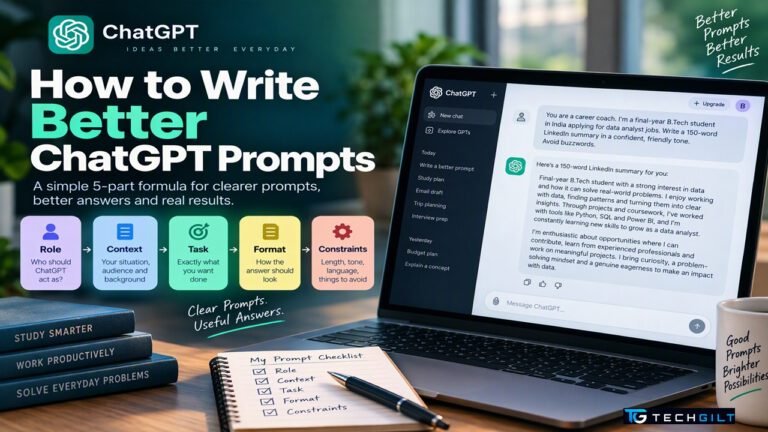
New to ChatGPT? Learn how to write ChatGPT prompts that get better answers.
4. Microsoft Copilot: Best for Quick Help Without Sign-Up
Of all the free AI tools for students, Microsoft Copilot is the easiest to start with: it’s free to use in its app, on the web and in the Edge browser sidebar, and basic use doesn’t even need an account. It’s handy for quick questions, summarising web pages and drafting text.
- Summarise any web page directly from the Edge sidebar
- Many Indian colleges provide Microsoft 365 Education accounts, which can include Copilot inside Word, PowerPoint and Excel. Ask your college IT team whether yours does.
Good to know: free usage has limits per conversation, but for quick everyday help it’s more than enough.
5. Perplexity: Best for Research With Sources
Perplexity is an AI search engine that answers questions with links to its sources, which makes it one of the most useful free AI tools for students working on projects and assignments, where you need to cite where information came from.
- Every answer comes with clickable sources you can check
- Good for current events, project research and comparing viewpoints
Good to know: Airtel’s free Perplexity Pro offer ended on January 16, 2026, according to Voice&Data. Users who activated it earlier keep it for up to a year from activation. The free plan is still available to everyone.
6. Claude: Best for Long Documents and Feedback
Claude, made by Anthropic, rounds out our list of free AI tools for students. It’s especially good at reading long documents and giving detailed, thoughtful feedback on writing.
- Upload a long PDF and ask for a chapter-by-chapter summary
- Get detailed feedback on essays and reports, with suggestions to improve clarity
- Useful for coding help in computer science courses
Good to know: the free plan has daily usage limits, so use it for focused tasks rather than long chats.
How to Use Free AI Tools for Students the Right Way
Free AI tools for students can make you a better learner or a weaker one, depending on how you use them.
- Learn, don’t copy. Ask AI to explain, quiz you or check your work, not to write your assignments. Copying AI answers can break your college’s academic integrity rules and leaves you unprepared for exams.
- Always check facts. AI tools can make confident mistakes. Verify important facts, formulas and dates with your textbook or teacher. Tools that show sources, like Perplexity and NotebookLM, make this easier.
- Protect your privacy. Don’t share personal details, passwords, Aadhaar numbers or exam papers with AI tools.
- Follow your college’s rules. Some colleges allow AI for research but not for graded work. Check before you use it on assignments.
- Turn notes into practice. The best use of free AI tools for students is active learning: ask for quizzes, flashcards and “test me” questions instead of just summaries.
Need a laptop for your studies? See our guide to the Best Laptops for Students Under ₹50,000.
Also read: Gemini 4 Argon Launched
Frequently Asked Questions
What are the best free AI tools for students in India?
Google Gemini, NotebookLM, ChatGPT, Microsoft Copilot, Perplexity and Claude all have free plans that cover most study needs.
Is Google AI Plus really free for students?
Yes. Eligible students in India aged 18 or older can get Google AI Plus free for 12 months by verifying their student status through SheerID. The offer must be redeemed by December 31, 2026.
Which of the free AI tools for students is best for exam preparation?
NotebookLM is excellent for exam preparation because it builds quizzes, study guides and audio overviews from your own notes and syllabus.
Is it allowed to use free AI tools for students in assignments?
It depends on your college’s rules. Using AI to understand topics and check your work is usually fine, but submitting AI-written work as your own can break academic integrity rules.
Can I trust AI answers for studying?
Not blindly. AI tools can make mistakes, so always verify important facts with your textbook, teacher or a reliable source.
Conclusion
Free AI tools for students have become powerful enough to act like a personal tutor, study partner and research assistant. Google Gemini, especially with the free 12-month AI Plus offer, is the best all-round choice, NotebookLM is ideal for studying from your own notes, and Perplexity helps with research you can cite. Whichever free AI tools for students you choose, use them to understand, practise and check your work, not to skip the learning. Used wisely, they can save hours every week and help you learn more deeply.
My take: As a trainer, I believe AI tools can make education more personalised, interactive and accessible. I would encourage students to start with ChatGPT, Gemini or Claude for simple explanations, and to use NotebookLM to create quizzes, flashcards and revision material from their own notes. Today’s AI assistants have become powerful enough to handle complex, multi-step tasks. For research assignments, I would recommend tools like Perplexity, which help students find sources they can then verify independently.
However, I always remind learners that AI is an aid, not a substitute for their own thinking. Students should try to solve problems on their own first, verify key information and follow their institution’s academic integrity policies. In my view, free AI tools for students are most valuable when they help students become more curious, confident and independent learners. The goal of education is not to produce students who can find answers quickly, but to develop people who understand those answers and know how to apply them wisely. I would conclude by saying: “Use AI to learn faster, practise deeper and think better, not to avoid thinking.”
Over to You
Which AI tool do you use most for your studies, and how has it helped you? Share your experience in the comments below.