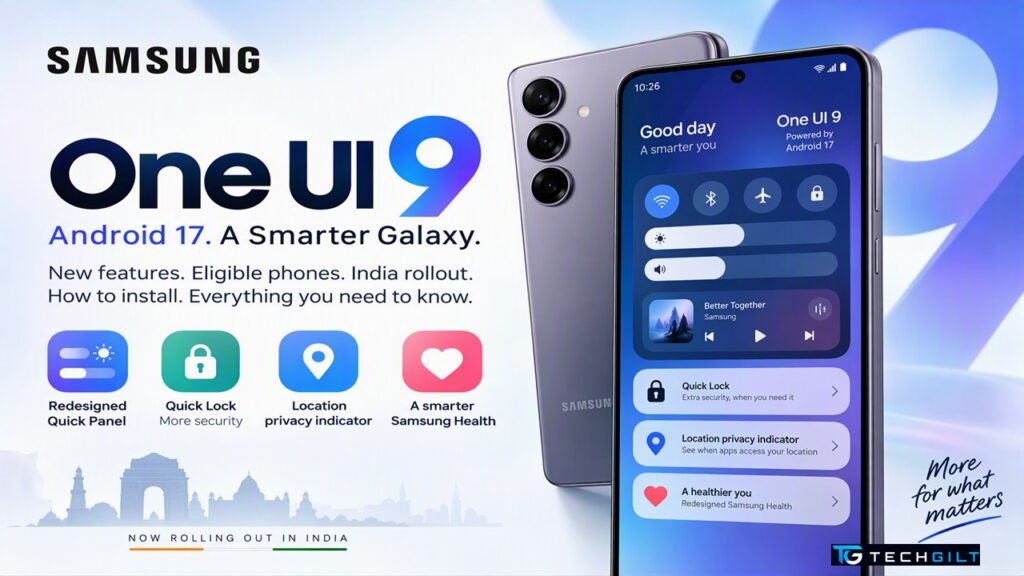
Samsung’s Android 17-based One UI 9 is rolling out to Galaxy phones in India. Here’s what’s new, which phones are eligible, how to install it, and what to do if your phone isn’t on the list
If you use a Samsung Galaxy phone, a big software update is on its way. One UI 9, Samsung’s new version of its software based on Android 17, has started reaching Galaxy phones, including models in India. It brings a redesigned Quick Panel, new privacy and security tools, a major Samsung Health upgrade and more. But not every Galaxy phone will get it. Here’s everything you need to know: the new features, eligible phones, how to install it safely, and what to do if your phone misses out.
Quick Answer
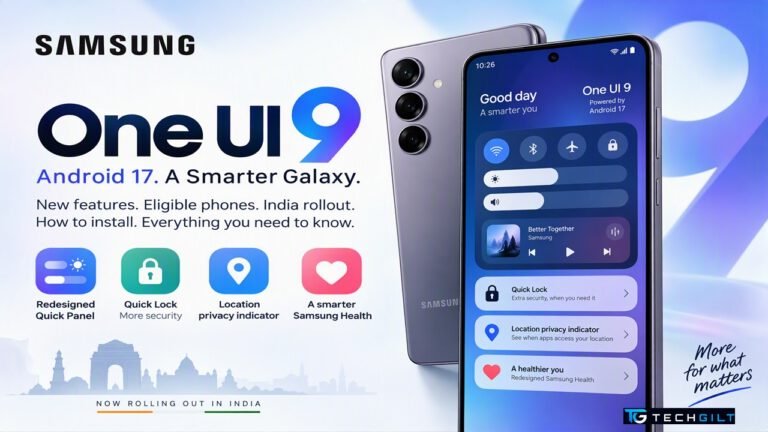
One UI 9 is Samsung’s Android 17-based update. In India, it has started rolling out to phones including the Galaxy M47 (from October 23, 2026), with the Galaxy S23, A27, A37 and A56 expected next. Globally, the Galaxy S26, S25, S24 and S23 series, recent Z Fold and Z Flip models and several A and M series phones are already receiving it. Key features include a redesigned Quick Panel, Quick Lock (which blocks fingerprint and face unlock with one shortcut), a location-access privacy indicator, and a redesigned Samsung Health. To check, go to Settings → Software update → Download and install. Older phones such as the Galaxy A53 are not eligible.
What’s New in One UI 9
According to Beebom, the main new features include:
1. Redesigned Quick Panel
- Resizable brightness and volume sliders
- A built-in media player
- A separate button for switching sound modes (sound, vibrate, mute)
2. Quick Lock for extra security
A new Quick Lock option blocks fingerprint and face unlock the next time you unlock your phone, so only your PIN or password works. Turn it on by holding Volume Down + Side button, or by tapping Power in the Quick Panel. This is useful if someone might force you to unlock your phone with your face or finger, for example during a theft.
3. Location privacy indicator
A blue indicator now appears whenever an app accesses your location, so you can spot apps that track you in the background.
4. Redesigned Samsung Health
- Customisable home screen cards
- Faster mood and meal logging, including using the camera to log meals
- Trend charts, a daily heart health score, cardio load tracking, a Fitness Index and a hearing tracker
5. Accessibility and productivity
- Text spotlight to enlarge text
- Physical keyboard shortcuts
- Select to speak, which reads selected text aloud
6. New “Warranty and care” menu
A new section in Settings to check your warranty and device care information.
Which Galaxy Phones Are Eligible for One UI 9?
According to the TechPP update tracker (updated October 21, 2026), 100 Galaxy models are eligible. Highlights:
| Series | Already receiving One UI 9 (globally) | Eligible, date not announced |
|---|---|---|
| Galaxy S | S26 series, S26 FE, S25 series (incl. Edge, FE), S24 series, S23 series | S23 FE |
| Galaxy Z | Z Fold8 and Z Flip8, Z Fold7 and Z Flip7, Z Fold6 and Z Flip6, Z Fold5 and Z Flip5, Z TriFold | Z Flip7 FE |
| Galaxy A | A57, A56, A55, A37, A36, A35, A27, A17 5G, A16 5G/4G, A07 4G | A54, A34, A26, A25, A24, A15 and others |
| Galaxy M | M47 (India), M36, M16 | M56, M55, M55s, M54, M35, M34, M17, M15 and others |
| Galaxy F | — | F70e, F56, F55, F54, F36, F34, F17, F16, F15 and others |
| Galaxy Tab | — | Tab S11 series, Tab S10 series, Tab S9 series, Tab A11 and others |
“Already receiving” means the update has started somewhere in the world. In India, it may arrive days or weeks later.
One UI 9 Rollout in India
- Galaxy M47: the stable update started rolling out in India on October 23, 2026, according to Beebom.
- Galaxy S23, A27, A37 and A56: expected in India next, according to tracker Tarun Vats, cited by Forbes. Samsung hasn’t confirmed exact dates.
- Others: Samsung releases updates in stages, country by country and model by model, so check regularly.
Note: for the Galaxy S23 series, this is likely to be its last major Android upgrade, according to Forbes.
How to Install One UI 9
- Back up your phone: use Samsung Cloud or Google One to back up photos, contacts and app data.
- Charge to at least 50%, or keep your phone plugged in.
- Connect to Wi-Fi. Major updates are large downloads.
- Free up storage: keep a few GB free.
- Go to Settings → Software update → Download and install.
- If the update is available, tap Download, then Install now. Your phone will restart.
- Don’t switch off the phone while it installs.
Update not showing yet? Samsung rolls out updates gradually. Check again every few days. You’ll also get a notification when it’s ready.
Is Your Phone Not Eligible? What to Do
Older models such as the Galaxy A53, A33 and similar phones on Samsung’s earlier update policies are not eligible, according to TechPP. They’re expected to stop at One UI 8 or 8.5. If your phone isn’t on the list:
- Keep installing security updates for as long as Samsung provides them.
- Keep apps updated from the Play Store and Galaxy Store.
- Install Google Play system updates, which bring some security fixes even without a major Android upgrade.
- Plan an upgrade once security updates end, because an unsupported phone becomes riskier for banking and UPI apps.
Also read: Google Play System Update
Frequently Asked Questions
What is One UI 9?
One UI 9 is Samsung’s latest software for Galaxy phones and tablets, based on Android 17.
When will One UI 9 come to India?
It has started in India with the Galaxy M47 (from October 23, 2026). The Galaxy S23, A27, A37 and A56 are expected next, though Samsung hasn’t confirmed exact dates.
Is the Galaxy A53 getting One UI 9?
No. The Galaxy A53 is not eligible and is expected to stop at One UI 8 or 8.5.
How do I check for the One UI 9 update?
Go to Settings → Software update → Download and install.
What is Quick Lock in One UI 9?
Quick Lock temporarily disables fingerprint and face unlock, so your phone can only be unlocked with your PIN or password. You can activate it by holding Volume Down and the Side button.
Conclusion
One UI 9 brings Android 17 to Samsung Galaxy phones with useful upgrades: a more flexible Quick Panel, the new Quick Lock security shortcut, a location-access indicator and a much richer Samsung Health. The rollout has already begun in India with the Galaxy M47, and more models, including the S23, A27, A37 and A56, are expected soon. Back up your phone before installing, check Settings regularly, and if your phone isn’t eligible, keep it secure with regular security and app updates until you’re ready to upgrade.
My take: I believe One UI 9 is more than just a software update, because it focuses on what every smartphone user should care about: security, privacy and convenience. Features like Quick Lock can be particularly useful, for instance, when travelling on public transport or when your phone holds sensitive information. The new location privacy indicator may also make us more mindful of how apps access our personal data.
That said, never install a major update without proper preparation. Back up your important data, check that your phone is eligible, and install updates only through Settings, never from unknown links or files. Even if an older phone doesn’t get the latest Android version, keep installing security updates for as long as they are available. Technology matters not just because it adds new features, but because it helps us use our devices more safely and reliably. I would conclude by saying: “A smarter smartphone is useful, but a safer smartphone is essential.”
Over to You
Has your Galaxy phone received One UI 9 yet? Which new feature are you most excited to try? Share in the comments below.